We're sorry to see you go

You can easily delete your Nanaroo account in the Nanaroo app. Follow these steps to delete your account.

  • Go to My Account

    Open your account page by tapping your profile icon in the top right.

  • Close My Account

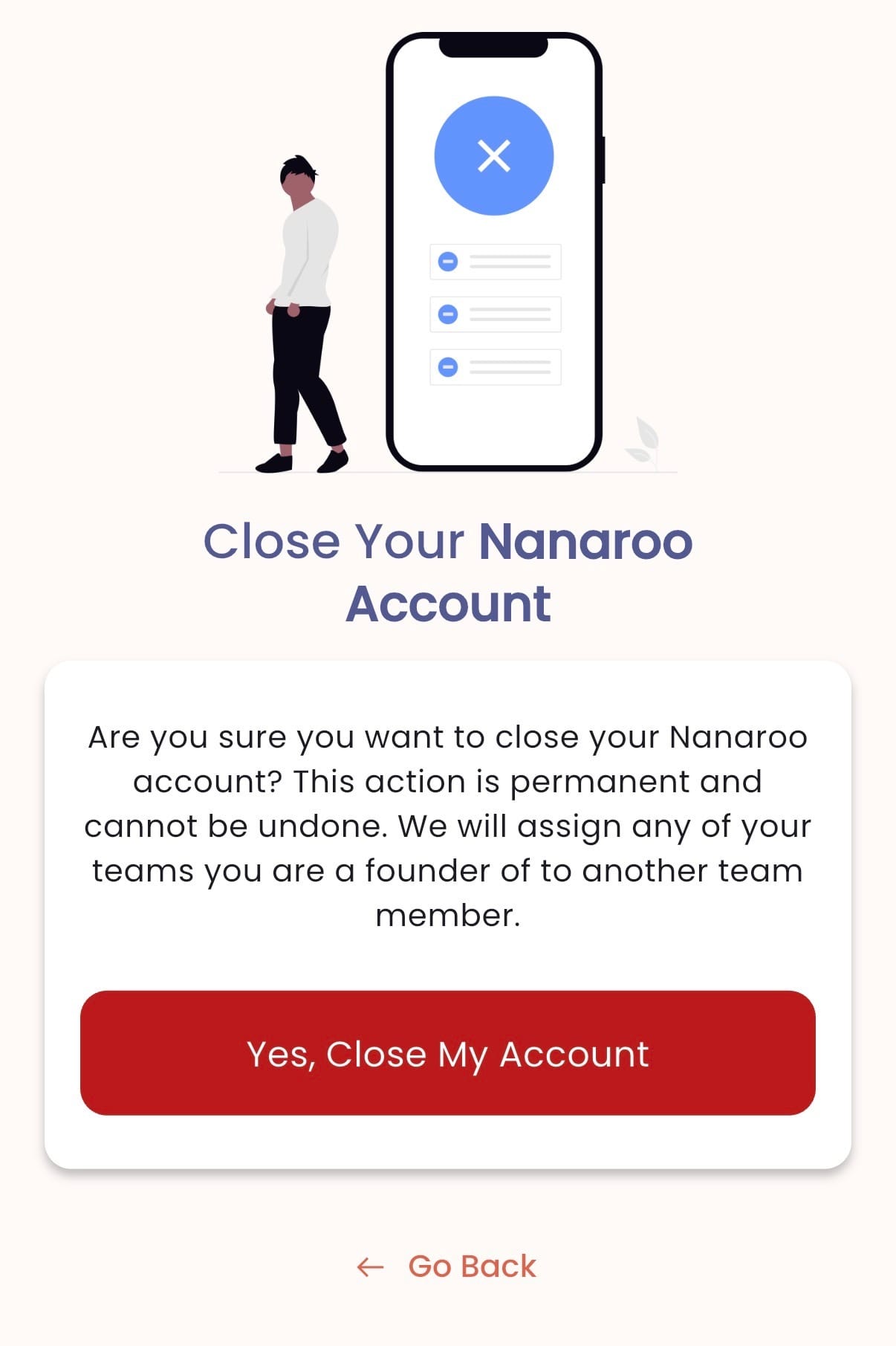
    Next, tap Close My Account near the bottom of your profile page.

  • Finalize

    Finally, tap Yes, Close My Account and complete the remaining steps. We're sorry to see you go. Please reach out with any feedback!  
  • IMG_2844.jpg

    Contact us

    Fill out the form below to send us a message
    Cookie Settings
    This website uses cookies

    Cookie Settings

    We use cookies to improve user experience. Choose what cookie categories you allow us to use. You can read more about our Cookie Policy by clicking on Cookie Policy below.

    These cookies enable strictly necessary cookies for security, language support and verification of identity. These cookies can’t be disabled.

    These cookies collect data to remember choices users make to improve and give a better user experience. Disabling can cause some parts of the site to not work properly.

    These cookies help us to understand how visitors interact with our website, help us measure and analyze traffic to improve our service.

    These cookies help us to better deliver marketing content and customized ads.